How to add a car to a FiveM server
Updated October 11, 2026 · 4 min read
An add-on car is a resource with the model and its textures in stream/ (.yft, _hi.yft and .ytd) and its meta files loaded by fxmanifest.lua with data_file lines: vehicles.meta, handling.meta, carvariations.meta and, when the car has a mod kit or sirens, carcols.meta. Put the folder in resources, add ensure to server.cfg, restart, and spawn the car with the modelName written in its vehicles.meta.
What is inside a car resource
| File | What it holds | Loaded with |
|---|---|---|
<name>.yft | The model: body, wheels, doors and the bones that parts attach to. | stream/ |
<name>_hi.yft | The high detail version the game shows up close. | stream/ |
<name>.ytd | The textures. | stream/ |
| vehicles.meta | The model name, its texture dictionary, its handling entry and its vehicle class. | data_file 'VEHICLE_METADATA_FILE' |
| handling.meta | How it drives: speed, acceleration, grip, braking, mass. | data_file 'HANDLING_FILE' |
| carvariations.meta | The colours it spawns with and the mod kit it uses. | data_file 'VEHICLE_VARIATION_FILE' |
| carcols.meta | The mod kit (the parts a mod shop offers) and siren light patterns. | data_file 'CARCOLS_FILE' |
| vehiclelayouts.meta | Seat and entry layouts. Only some cars ship one. | data_file 'VEHICLE_LAYOUTS_FILE' |
The fxmanifest.lua
fx_version 'cerulean'
game 'gta5'

files {
    'data/vehicles.meta',
    'data/handling.meta',
    'data/carvariations.meta',
    'data/carcols.meta',
}

data_file 'HANDLING_FILE' 'data/handling.meta'
data_file 'VEHICLE_METADATA_FILE' 'data/vehicles.meta'
data_file 'CARCOLS_FILE' 'data/carcols.meta'
data_file 'VEHICLE_VARIATION_FILE' 'data/carvariations.meta'
The .yft and .ytd files need no line: everything in stream/ is streamed. The folder has to be called stream in lowercase; on a Linux server Stream/ is a different folder.
Where the spawn name comes from
The spawn name is the <modelName> in vehicles.meta. It has to match the .yft file name exactly, in lowercase, and <txdName> has to match the .ytd. The <handlingId> has to match the <handlingName> of an entry in handling.meta.
<modelName>mycar</modelName>
<txdName>mycar</txdName>
<handlingId>MYCAR</handlingId>
A mismatch between the file name and modelName is the most common reason a car does not spawn. See Vehicle or ped model not found. For the cars that come with GTA V, the spawn names of 548 of them are on their pages in Livery templates.
Install it, step by step
- 1
Copy the folder
Put the car's folder, with
stream/,data/andfxmanifest.luainside, in your server'sresources/folder. - 2
Start it
Add
ensure mycarto server.cfg, with the folder's name. - 3
Restart the server
Then connect to it again.
- 4
Spawn it
With
/car mycaron servers that have a car spawn command, from a garage, or from a script (below). - 5
Add it to your framework
Garages and dealerships keep their own vehicle list. Add the spawn name there like any add-on car.
local model = `mycar`
RequestModel(model)
while not HasModelLoaded(model) do Wait(0) end
local ped = PlayerPedId()
local pos = GetOffsetFromEntityInWorldCoords(ped, 0.0, 5.0, 0.5)
local veh = CreateVehicle(model, pos.x, pos.y, pos.z, GetEntityHeading(ped), true, false)
SetPedIntoVehicle(ped, veh, -1)
SetModelAsNoLongerNeeded(model)
Add-on or replace
An add-on car has a new name, so the game's cars stay as they are. A replace streams files named like a game car (for example sultanrs.yft): every car of that model on the server changes. Only one resource can replace a given model; if two do, the load order decides which one wins.
Build the car with the Vehicle Creator
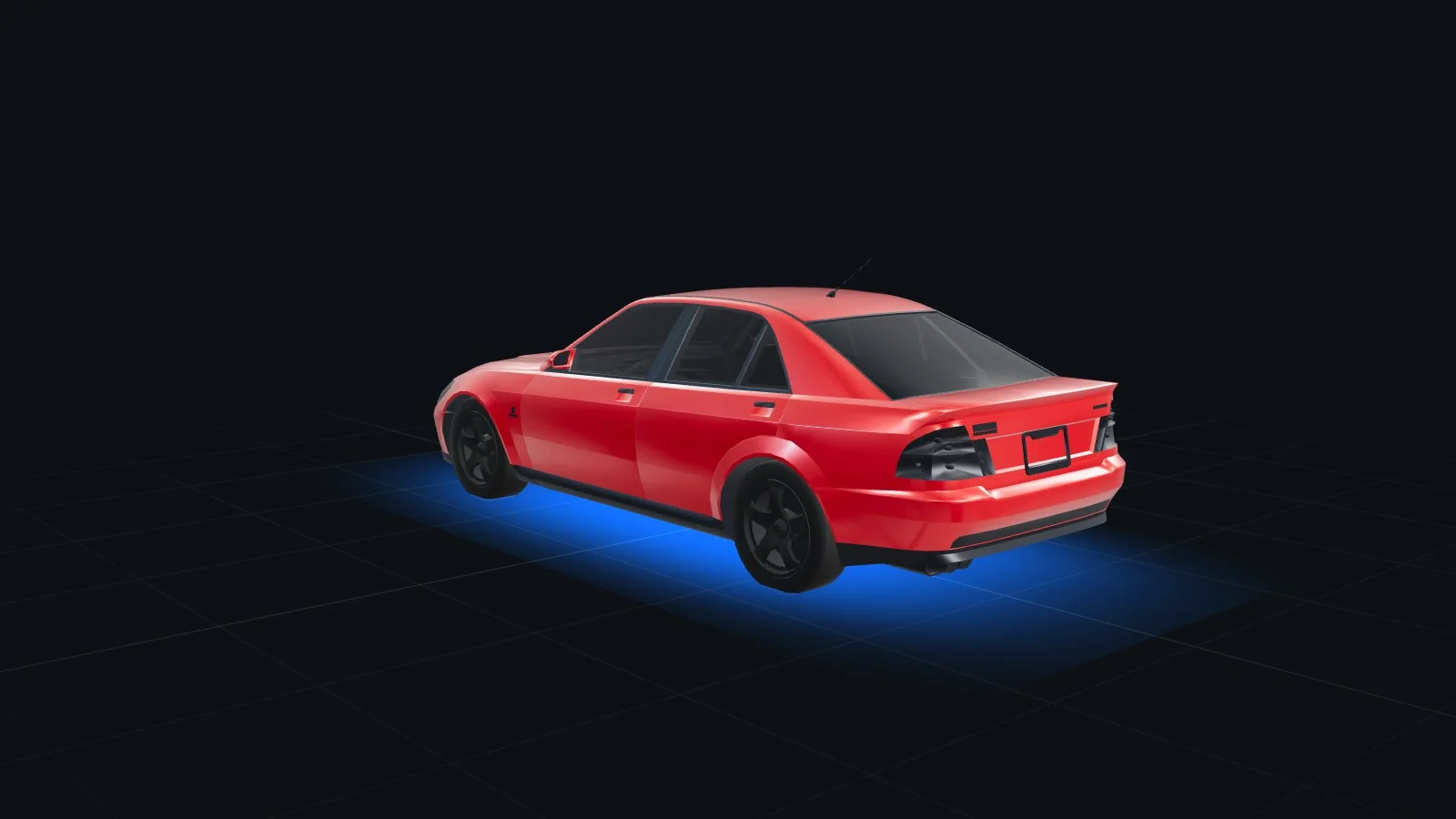
The Vehicle Creator builds the add-on resource for you, starting from a car in the game:
- 1
Vehicle
Pick any GTA V car, or upload your own .yft and .ytd or its resource zip (paid plan or Pro Pass).
- 2
Paint, Livery, Parts, Wheels
Paint and finish; a livery designed on the body; parts from any car in the game, placed on the matching bone; parts you click on the car and remove, such as a badge or a bumper; wheels from the mod shop list.
- 3
Handling, Lights, Plate
Engine, brakes, gearbox and suspension; xenon and neon; the plate text and style.
- 4
Download
Each car comes out as a model of its own, built on our server, with its meta files in
data/<name>/. Spawn it with/car <name>, a garage or a script; there are no commands to run.
Neon, xenon, window tint, the plate and extras are not stored in a vehicle model, so a small client.lua puts them on when the car appears. The handling starts from the car it was built on, with your engine, brakes, gearbox and suspension already in data/<name>/handling.meta.
Free to try with your Discord login: 10 exports the first month and 5 a month after on the Free plan, unlimited on any paid plan. See pricing.
Build a car without Blender
Start from any GTA V car, add parts from other cars, paint it, design its livery, and download an add-on resource you spawn with /car. Free to try with your Discord login: 10 exports the first month and 5 a month after on the Free plan, unlimited on any paid plan.
Frequently asked questions
Where do I find the spawn name of a FiveM car?
In the car's vehicles.meta, in <modelName>. It matches the .yft file name. For the cars that come with GTA V, the livery templates pages on THE ORB Studio list the spawn names of 548 of them.
Why does my add-on car not spawn?
The resource is not started, the .yft file name and the modelName in vehicles.meta do not match, the stream folder is not where the manifest expects it, or the car comes from a newer DLC than the game build your server enforces.
Why is my car white or untextured?
The .ytd name does not match the txdName in vehicles.meta, the .ytd is not in the stream folder, or the texture dictionary is over the size limit (around 16 MB) and FiveM skips it.
Do add-on cars work on ESX and QBCore?
Yes. A car is a streamed resource, not a framework feature. For garages and dealerships, add its spawn name to the framework's vehicle list like any add-on car.
Can I make a custom FiveM car without Blender?
Yes. THE ORB Studio's Vehicle Creator starts from any GTA V car: you add parts from other cars, change wheels, paint and handling, design a livery, and download the finished car as an add-on resource with its own spawn name.